
Main IT Solutions · Expense automation
Every receipt, on the record.
Snap a receipt, forward a statement — MainIT Expenses reads it, sorts business from personal, removes duplicates and keeps your books ready for your accountant.
- No app to install — works on any phone
- Learns your merchants as you go
- Connects to QuickBooks Online
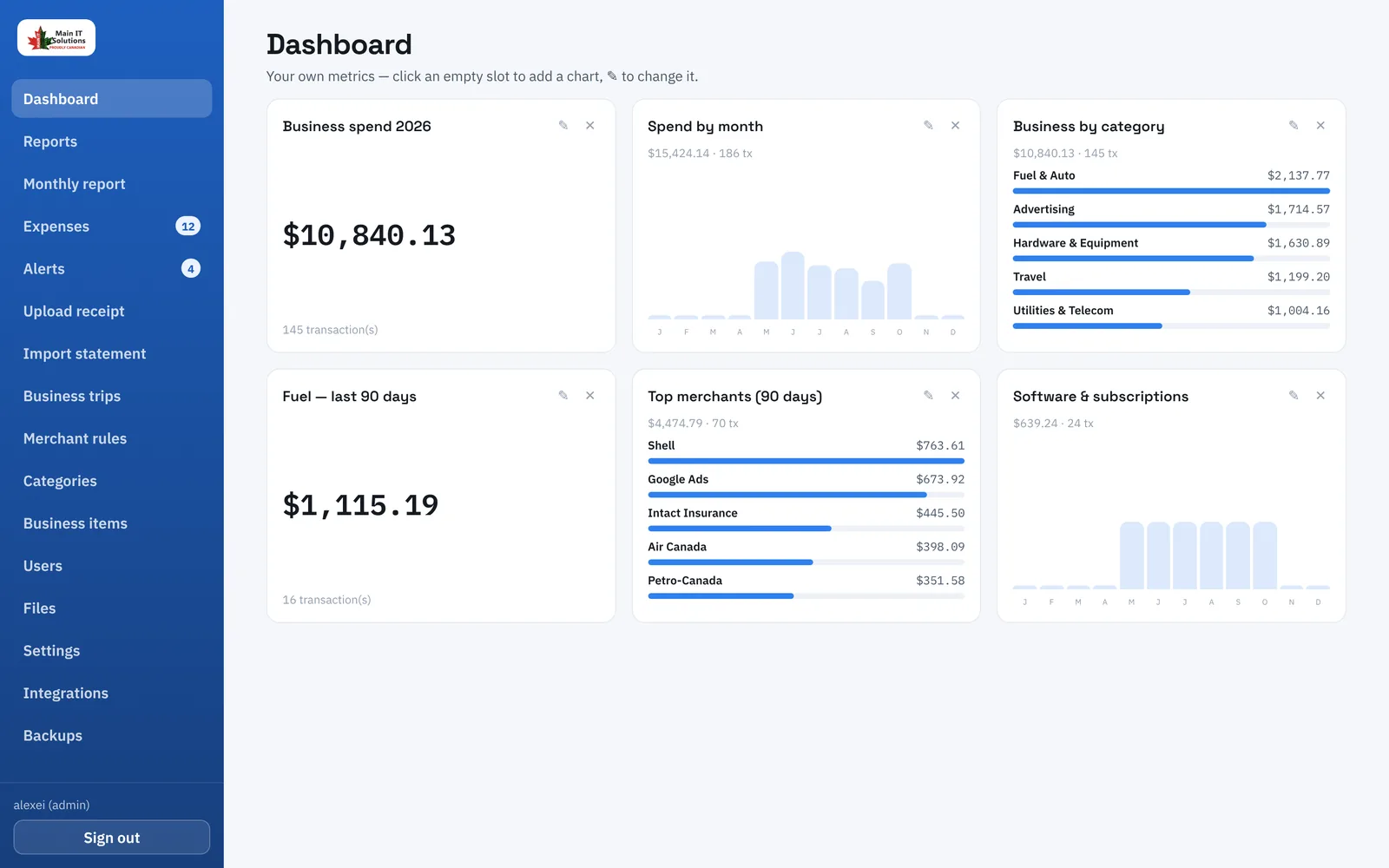
Shoebox of receipts
Faded paper, lost slips, missing tax amounts.
Statements re-typed
Every card and bank line copied by hand.
Sorted at tax time
Business and personal mixed until the deadline.
How it works
From paper to ledger in six steps
Capture
Phone photo, PDF or CSV statement, or an email in your inbox.
Read
OCR and AI pull merchant, date, tax, total and line items.
Classify
Category and business or personal — from your own rules.
Match
Receipt and card line become one expense, never two.
Review
Confirm with one click. Every confirmation teaches the app.
Report
Dashboards, monthly email, CSV/PDF and QuickBooks.
Features
Everything your expenses need, in one place
Receipt capture
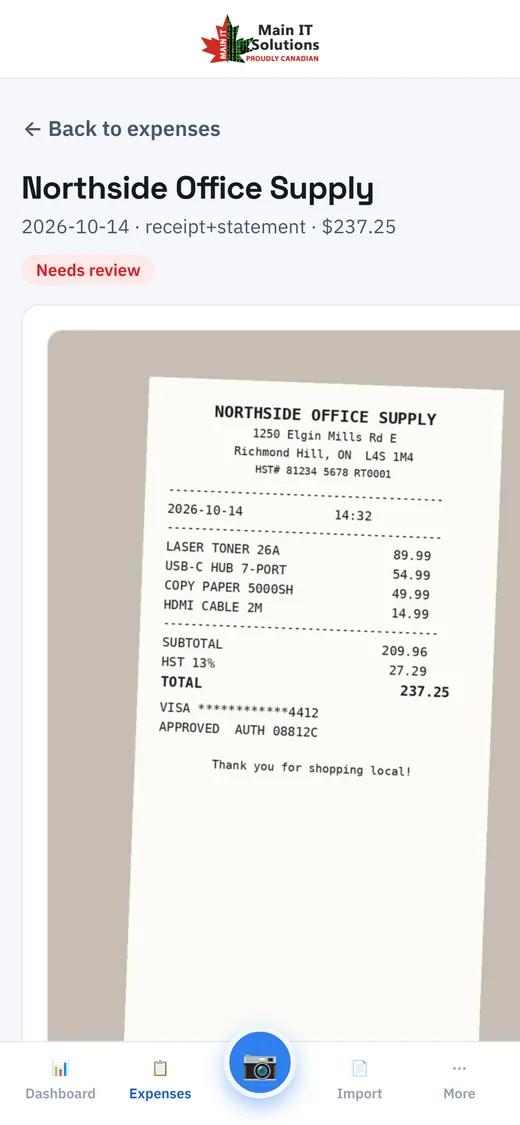
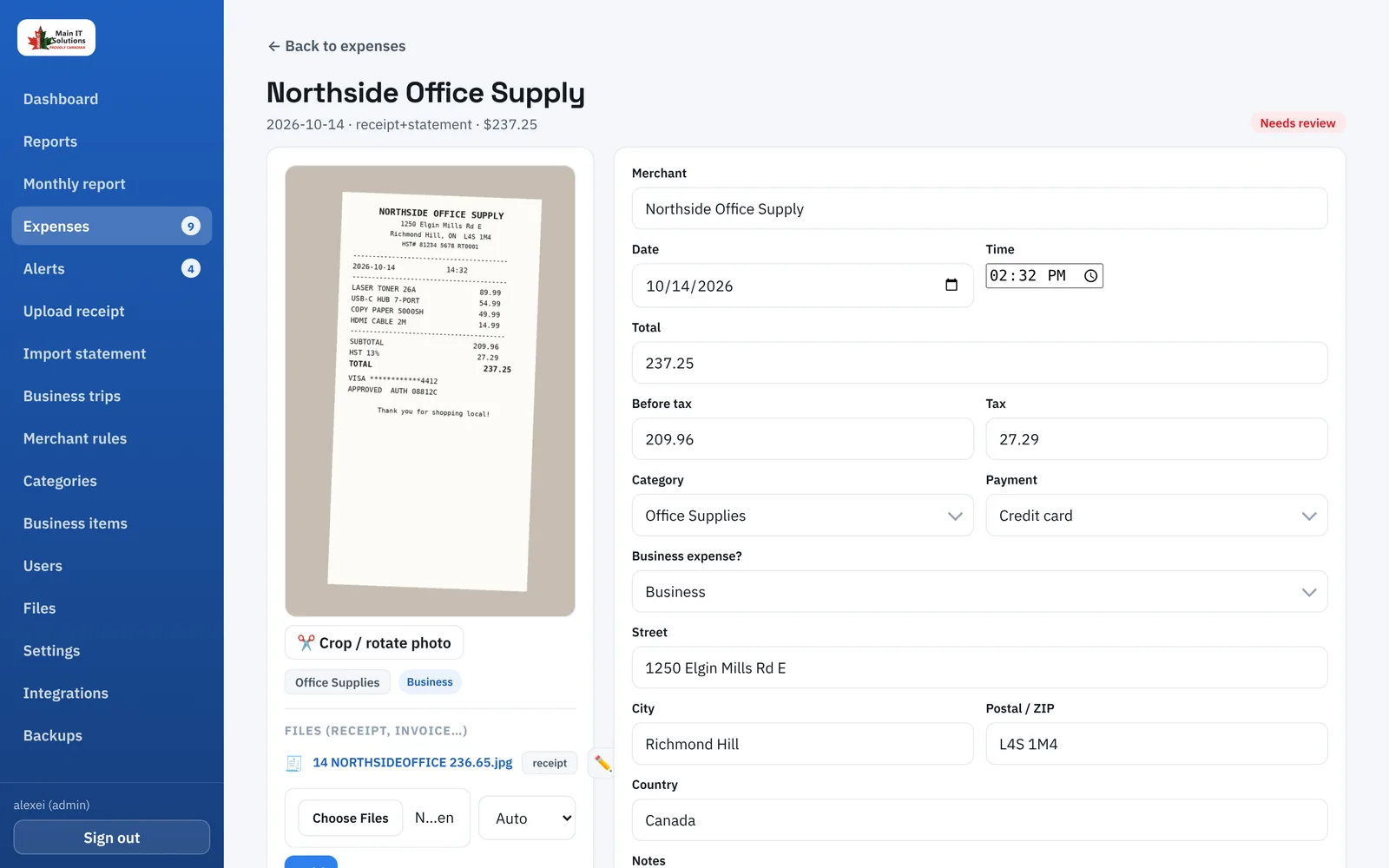
Take a photo in any phone browser. Crop, rotate, and the fields are read for you.
Statement import
PDF or CSV from any bank or card. Payments and refunds skipped automatically.
Mailbox monitoring
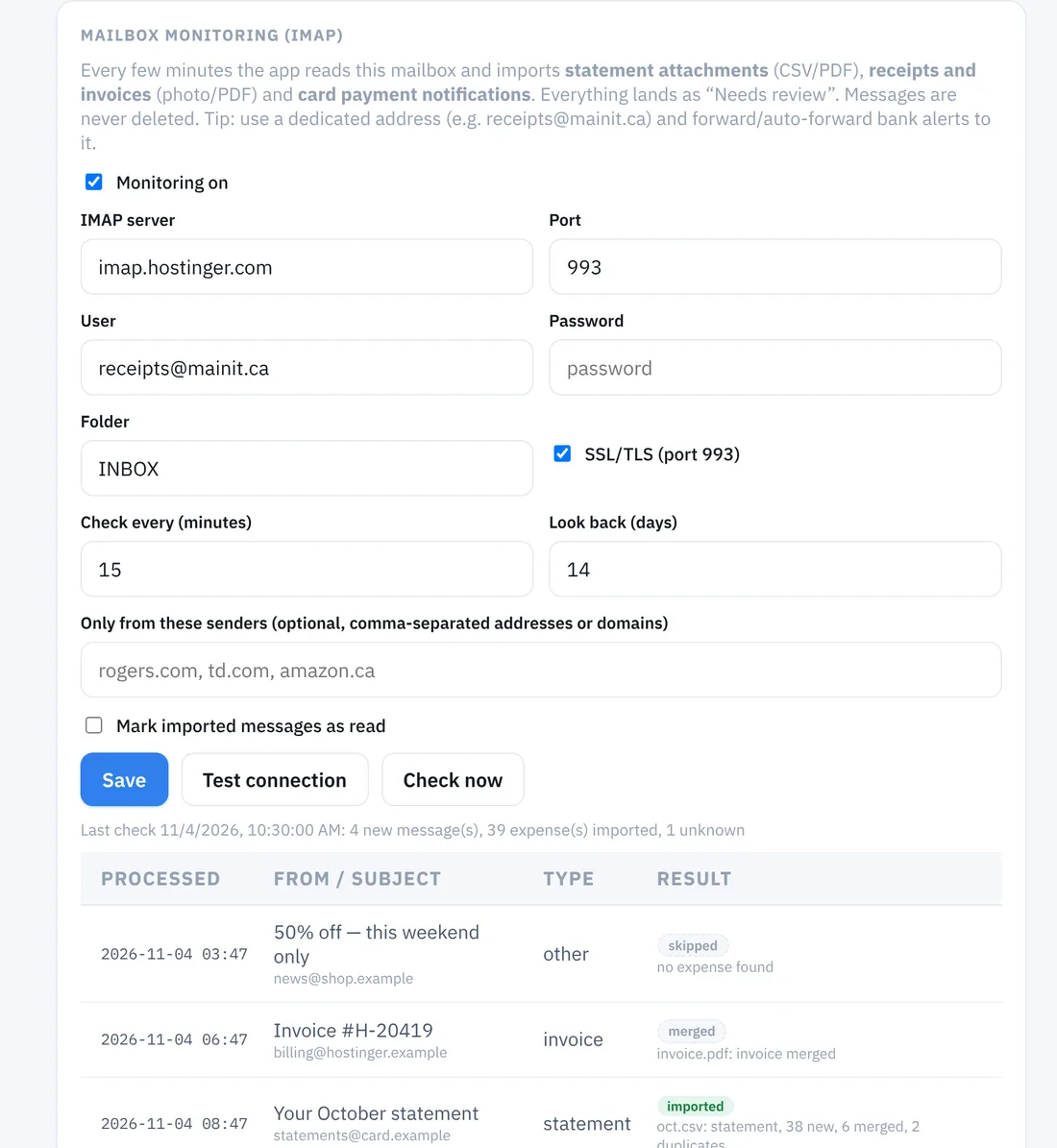
Statements, invoices and card alerts imported straight from a dedicated inbox.
Learning AI
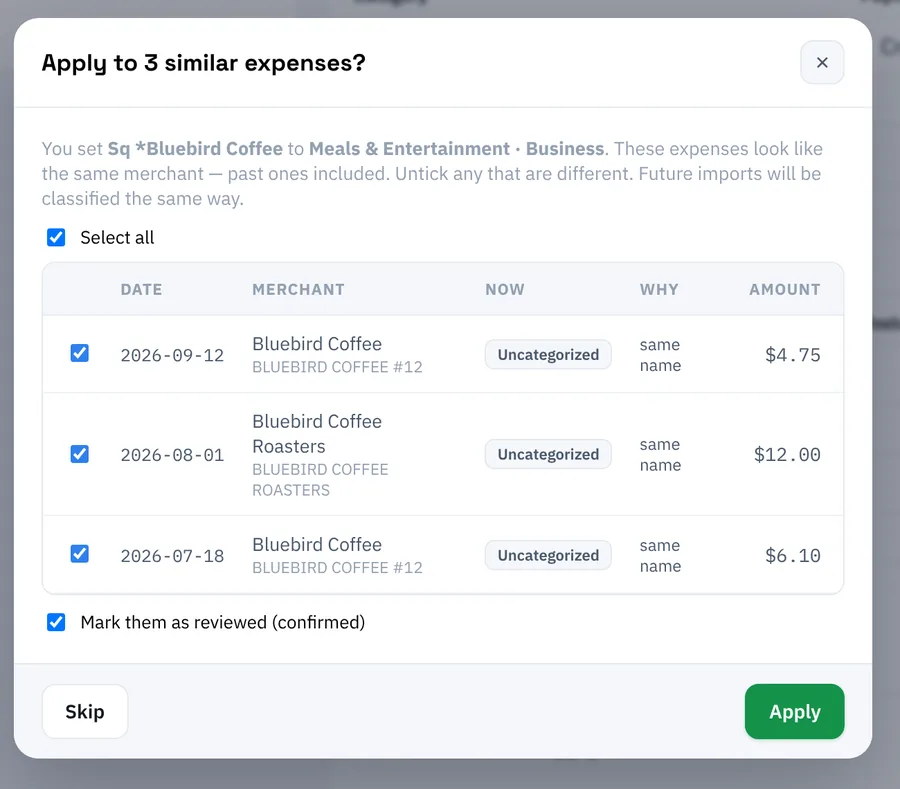
Correct one expense and every past and future one from that merchant follows.
No duplicates
A receipt and its statement line are matched into one expense.
Reports
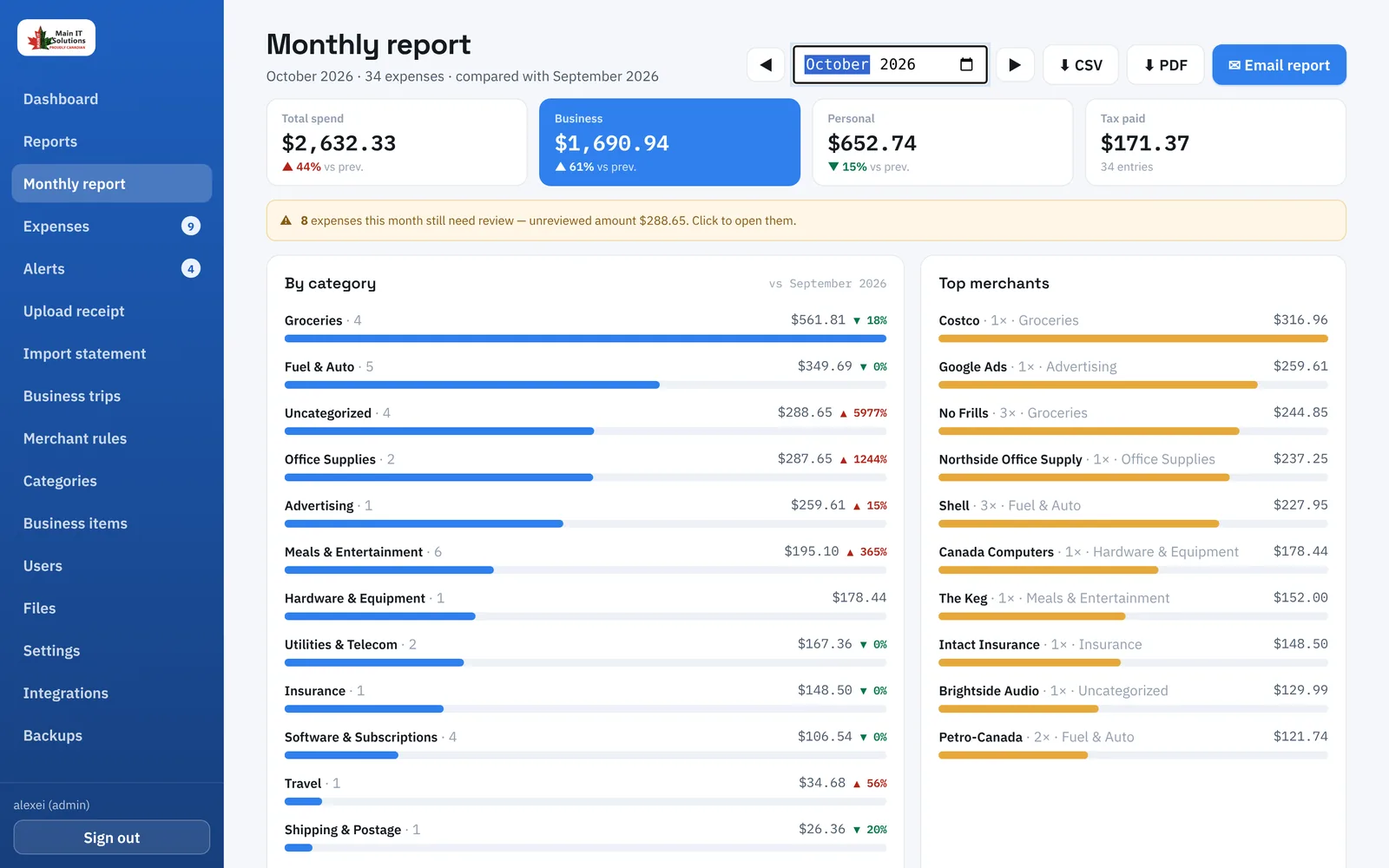
Your own dashboard, yearly report and a monthly report emailed on the 1st.
Unknown-charge alerts
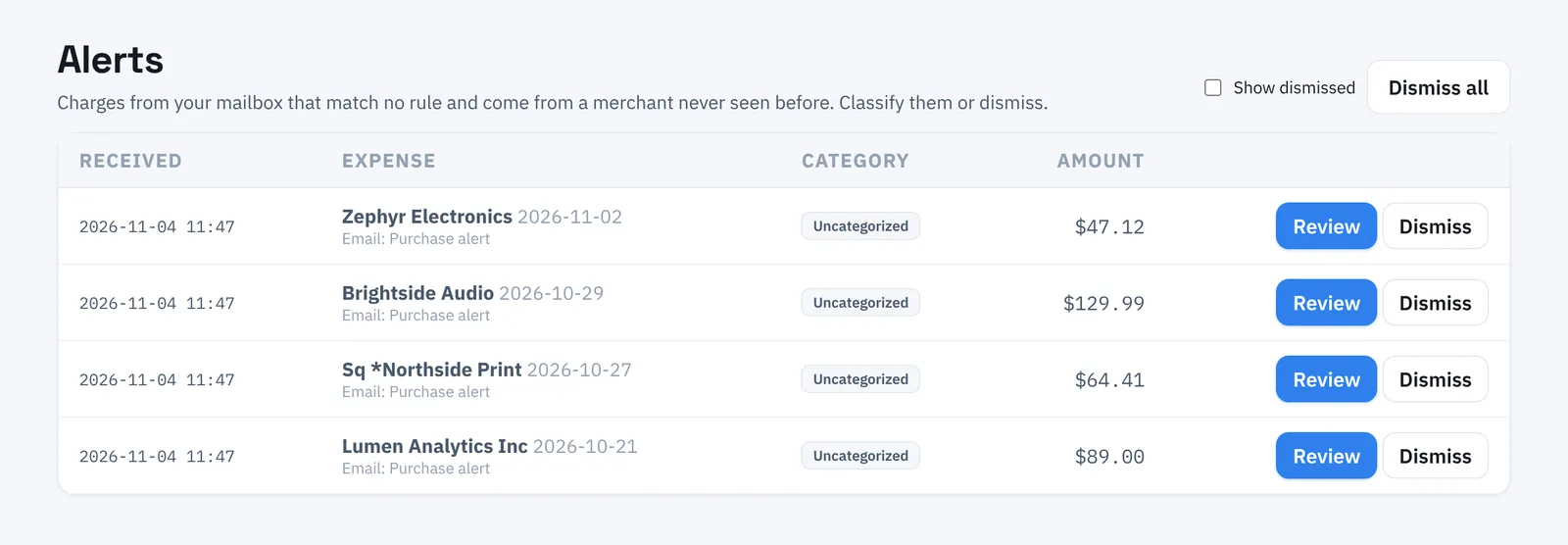
A charge from a merchant you’ve never paid raises an alert right away.
Business trips
Expenses dated inside a trip are grouped automatically, with totals.
Demo
See it in action
A short tour of the app with sample data.
On the go
Built for the phone in your pocket
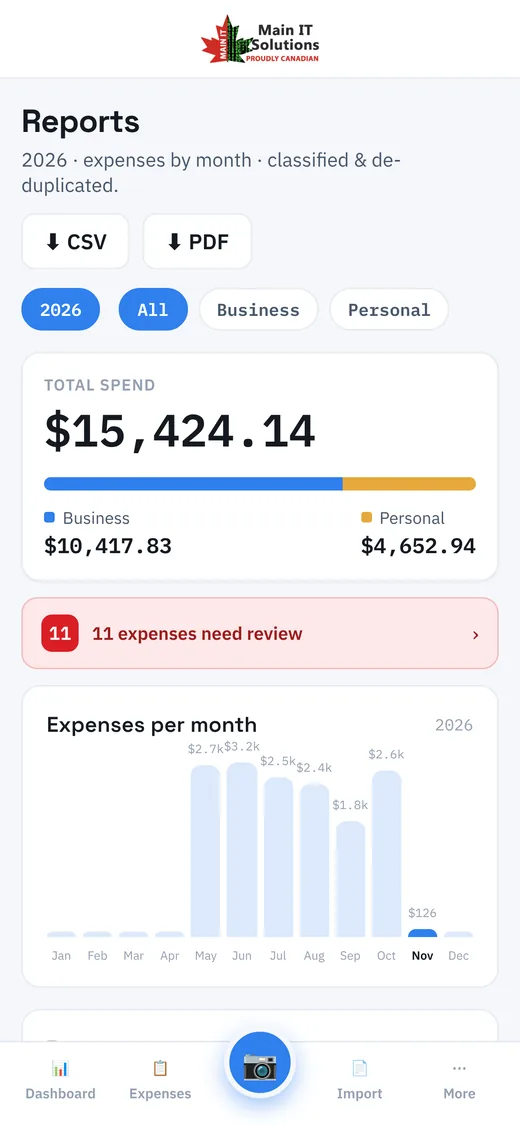
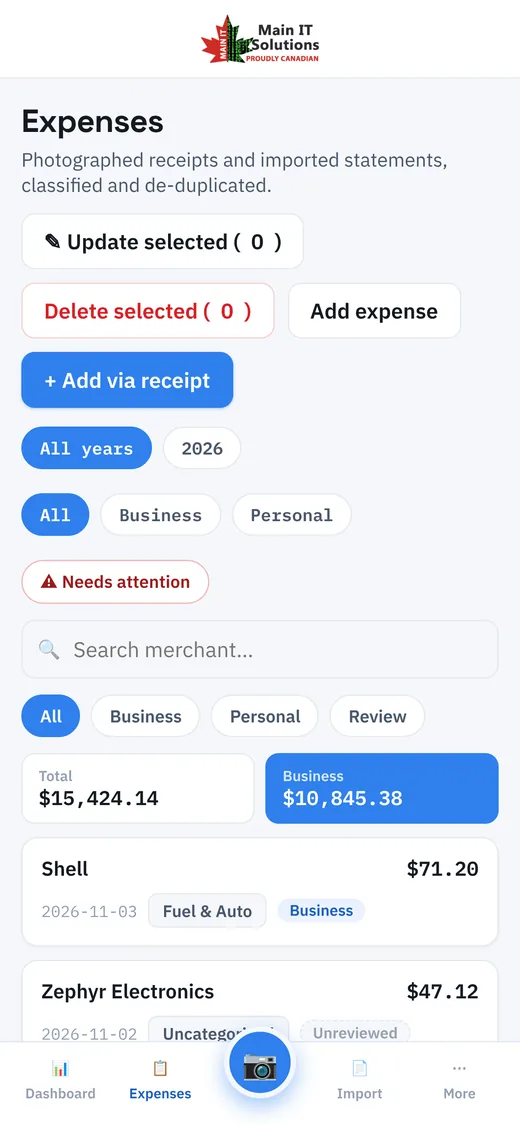
Open the site, tap the camera, done. No app store, no updates — the same account on your phone and your desktop.
- Camera opens straight from the menu
- Totals and business/personal split at a glance
- Review and confirm anywhere
Integrations
Works with the tools you already use
QuickBooks Online
Confirmed expenses sent as purchases, with vendors and accounts mapped for you.
Your CRM
A signed webhook for every confirmed expense — HubSpot, Zapier, Make, n8n and more.
Monthly reports and alerts delivered to you and your accountant.
Cloud backup
Nightly, optionally encrypted, to Google Drive, OneDrive, Dropbox or Azure.
The details
Full functionality
Capturing expenses
- Receipt photos in any phone browser — the camera opens directly; no app to install.
- Crop and rotate editor with an auto-suggested crop; images compressed before upload.
- Preview the fields read from the photo, correct anything, then save. Re-run OCR or AI with one click.
- Statement import: several PDF or CSV bank and card statements at once; columns, merchants and card category codes detected automatically.
- Payments, deposits, refunds and transfers skipped. Review every line before import; imports can be rolled back.
- Mailbox monitoring: statement attachments, PDF invoices, receipt photos and card payment notifications imported from a dedicated mailbox. Messages are never deleted.
- Up to 10 attachments per expense; a second photo (e.g. a card slip with a tip) can adjust the total.
- Manual entry for anything else.
Classification and learning
- Merchant rules first, then card category codes, a built-in keyword map, then AI (optional).
- Rules: pattern, display name, category, business/personal and action — Classify, Ignore or Split items for mixed stores like Costco. Edited directly in a grid.
- Learning back-fill: classify one expense and every other from the same merchant — past ones included — is offered the same classification. AI recognises the same merchant written differently.
- Editable categories with a default business/personal flag; business-item keywords for mixed-store receipts.
- Fuel split: a set percentage of fuel counted as personal.
- De-duplication: exact match on date, amount and merchant; fuzzy match on the same amount within 4 days.
Expenses and review
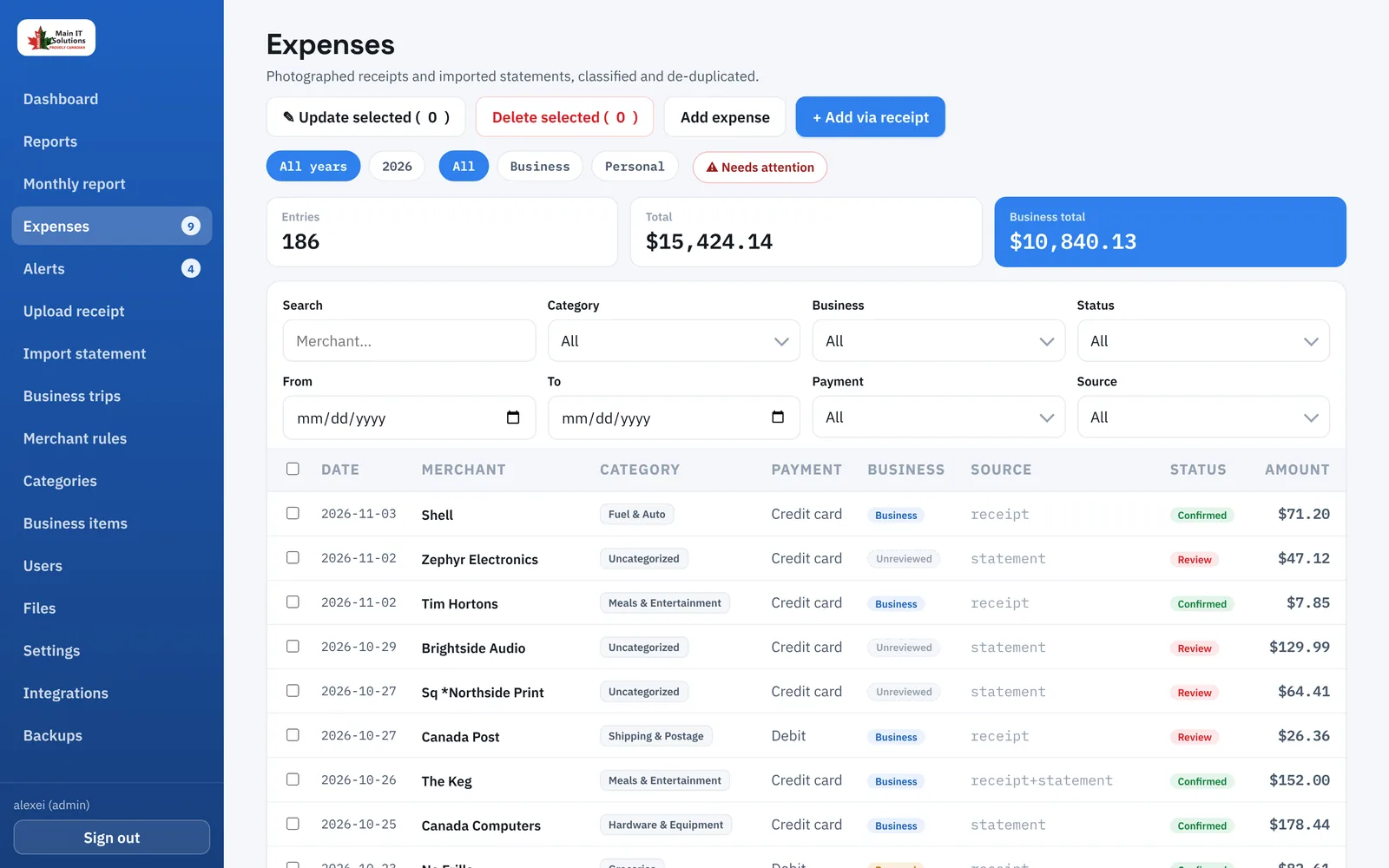
- One searchable, sortable table with filters for merchant, category, business/personal, status, dates, payment method, source and amount.
- Quick chips for All, Business, Personal and Needs review — with live totals.
- Bulk update and bulk delete; expense detail page with photo, attachments and “create rule and apply to similar”.
Reports
- Dashboard with six configurable charts.
- Yearly report: month bars with drill-down, categories down to merchants, recent activity, CSV and PDF export.
- Monthly report: totals vs previous month, categories with change, top merchants, items to review; CSV, PDF, email, and automatic email on the 1st.
Alerts
- A mailbox charge with no matching rule from a merchant never seen before raises an alert.
- Alerts page with a badge; email digest after each mailbox check; classifying the expense clears the alert.
Business trips
- Trips with destination, dates and status; scan receipts straight into a trip.
- Expenses dated inside an open trip are tagged automatically.
Integrations
- QuickBooks Online: OAuth connection, category → expense account and payment → bank/card mapping, purchases created with vendors; QuickBooks-ready CSV.
- CRM webhook: signed JSON for every confirmed expense.
- Email (SMTP) for reports and alerts; nightly backups to Google Drive, OneDrive, Dropbox, Azure Blob or download, optional PGP encryption.
Administration and security
- Users with admin and user roles; no public sign-up. Company branding: name, tagline, logo, favicon.
- Integrations page for mailbox, email, QuickBooks, CRM and sign-in protection; secrets stored encrypted.
- File browser with thumbnails and orphan clean-up.
- Cloudflare Turnstile, sign-in throttling and lockout, HSTS and a strict Content Security Policy, secure session cookies.
- The app creates and upgrades its own database — no manual setup after deployment.
Questions
Frequently asked
Do I need to install an app?
No. MainIT Expenses runs in the browser on any phone, tablet or computer. On a phone, the camera opens straight from the menu.
Which banks and cards does it work with?
Any that let you download a PDF or CSV statement. The importer detects columns and transaction lines automatically, and you review every line before it is saved.
Does it use AI?
Local OCR reads receipts at no extra cost. Claude AI can be switched on for difficult receipts, invoices and smarter matching of merchants — you choose the model.
Can my accountant get the data?
Yes — CSV and PDF exports, a monthly report by email, or a direct sync to QuickBooks Online.
Who sets it up?
Main IT Solutions. We connect your mailbox, statements and QuickBooks, brand it with your logo, and train your team.
Contact
Let’s set it up for your business
- 20-minute demo with your own receipts
- We connect your mailbox, cards and QuickBooks
- You review — the app does the rest
- ✉ [email protected]
- ☎ +1 437 808 0800
- ⌂ Richmond Hill, Ontario — serving Canada and the USA
Already a customer?
Sign in to your expenses from any device.